
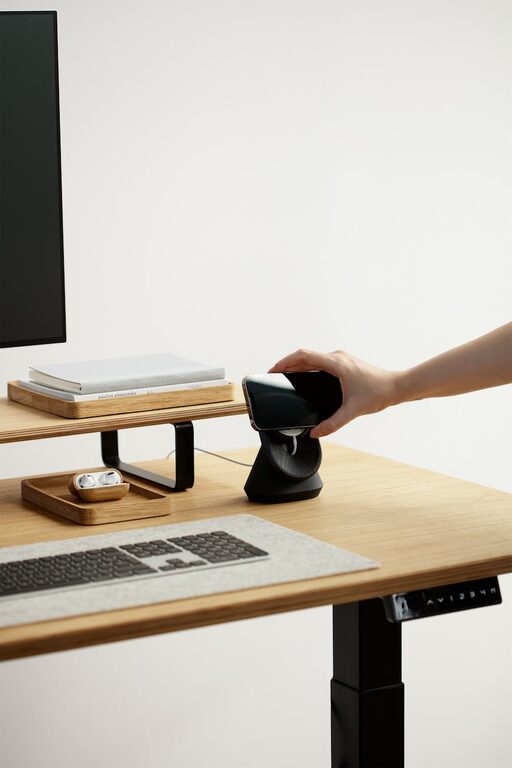
Creating an organized and inviting home workspace is essential for maintaining focus and productivity, especially as more people work remotely. A well-designed workspace not only helps you stay efficient but also makes your workday more enjoyable. Whether you have a dedicated room or just a corner in your living area, these simple tips will help you build a comfortable and tidy environment that inspires creativity and calm.
Assess Your Space and Needs
Before setting up your workspace, take a moment to evaluate the space you have and what you need to work effectively.
– Measure your available space: Knowing the dimensions helps you choose suitable furniture without overcrowding.
– Identify your tasks: Consider what tools and equipment are necessary for your work, such as a computer, printer, or art supplies.
– Plan for comfort: Think about lighting, seating, and noise levels for a comfortable environment.
Choose the Right Furniture
Selecting the right furniture sets the foundation for an organized workspace.
Desk Selection
– Opt for a desk that offers enough surface area for your daily tasks.
– Consider desks with built-in storage, like drawers or shelves, to keep essentials close.
– If space is limited, consider wall-mounted desks or foldable options.
Comfortable Seating
– Invest in an ergonomic chair that supports good posture.
– Adjustable chairs can be customized to your height and comfort needs.
– If you prefer standing, consider a sit-stand desk or a desk converter.
Maximize Storage and Organization
Clutter can distract and reduce productivity, so having smart storage solutions is key.
– Use drawer organizers: Keep smaller items like pens, cables, and paperclips neat.
– Shelves and bookcases: Store books, files, and decorative items to save desk space.
– Filing systems: Use labeled folders or digital scanning to keep documents organized.
– Cable management: Use clips, sleeves, or boxes to hide and sort cords.
Optimize Lighting
Good lighting reduces eye strain and creates a welcoming atmosphere.
– Natural light: Position your desk near a window if possible.
– Task lighting: Use desk lamps with adjustable brightness for focused work.
– Ambient lighting: Incorporate soft overhead lights to balance the room.
Personalize Your Workspace
A workspace that feels inviting motivates you to spend time there.
– Add a few personal touches such as photographs or artwork.
– Use plants to bring in greenery, which can improve mood and air quality.
– Choose a color palette that makes you feel calm and focused.
Minimize Distractions
Creating boundaries helps maintain concentration during work hours.
– Use noise-cancelling headphones or white noise machines to reduce distractions.
– Keep your workspace separate from entertainment areas if possible.
– Set clear work hours to communicate your availability to others in your home.
Maintain Your Workspace Regularly
Keeping your workspace tidy is an ongoing process.
– At the end of each day, spend a few minutes clearing your desk.
– Regularly declutter drawers and shelves.
– Review and reorganize storage solutions as your needs change.
Incorporate Technology Wisely
Technology is a vital part of a home workspace but can also add to clutter.
– Use wireless devices to reduce cable mess.
– Employ multi-functional gadgets that combine several functions.
– Keep your tech updated to prevent slowdowns and frustrations.
Encourage Movement and Breaks
Your workspace should support not just work but also wellness.
– Set reminders to stand, stretch, or walk.
– Position items like printers or filing cabinets a short distance away to encourage movement.
– Consider a small area for quick relaxation or meditation breaks.
—
Creating a home workspace that balances organization and comfort is achievable with thoughtful planning and simple strategies. Remember that your workspace should evolve with your needs, so don’t hesitate to tweak it over time. With these tips, you can create an environment that enhances your productivity and makes working from home a more pleasant experience.