
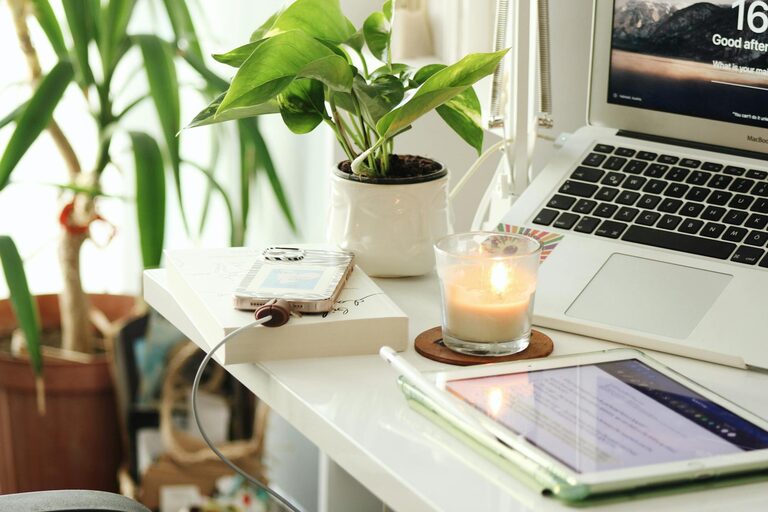
Creating a home office space that feels both cozy and productive is essential for anyone working remotely or managing tasks at home. A well-designed workspace not only supports focus and efficiency but also encourages a positive mindset. In this post, we’ll explore simple, practical tips to help you craft a home office that suits your needs and enhances your workflow.
Choose the Right Location
Find a Quiet Spot
Selecting the right location is the first step. Aim for a space that’s quiet and free from distractions. If possible, pick a room or corner away from high-traffic areas in your home.
Consider Natural Light
Natural light can boost mood and energy. Position your desk near a window to take advantage of daylight. If this isn’t possible, invest in good-quality artificial lighting to avoid eye strain.
Invest in Comfortable and Functional Furniture
Ergonomic Chair
A comfortable chair that supports your back helps reduce discomfort during long work sessions. Look for adjustable features to customize height and back support.
Desk Size and Layout
Choose a desk that fits your space and provides enough room for your computer, notebooks, and any necessary supplies. Standing desks or convertible desks can also offer flexibility.
Personalize Your Workspace
Add Cozy Elements
Incorporate soft textiles like cushions or a small throw blanket to make the space inviting. A cozy environment can help reduce stress and make work more enjoyable.
Use Plants
Adding greenery can improve air quality and create a calm atmosphere. Small potted plants or succulents are easy to maintain and brighten up your desk.
Organize for Efficiency
Declutter Regularly
Keep only essential items on your desk. Clutter can be distracting and hinder productivity, so make it a habit to tidy up daily.
Use Storage Solutions
Shelving units, drawer organizers, and storage boxes help keep supplies organized and accessible without creating mess.
Optimize Lighting
Layer Your Lighting
Combine task lighting (like a desk lamp) with ambient lighting to reduce eye fatigue. Adjustable lamps offer focused light for detailed work.
Avoid Glare
Position screens and lights to minimize glare. Use blinds or curtains to control sunlight during bright times of the day.
Manage Noise Levels
Use Soundproofing Techniques
If noise is a problem, consider adding rugs, curtains, or sound-absorbing panels to reduce echo and external sounds.
Background Sounds
Some people find low background noise, like soft music or white noise, helps concentration. Experiment to see what works best for you.
Establish a Routine and Boundaries
Set Work Hours
Define clear start and finish times to maintain work-life balance. Use alarms or calendar reminders to signal breaks and the end of the day.
Create Rituals
Develop routines that prepare you for work, such as making a cup of tea or organizing your desk first thing in the morning.
Incorporate Technology Wisely
Reliable Equipment
Ensure your computer, internet connection, and other tools are dependable to avoid interruptions.
Use Productivity Apps
Consider apps for task management, focus timers, or note-taking to streamline your workflow.
Add Inspiring Decor
Motivational Art or Quotes
Decorate with items that inspire or motivate you, such as prints, posters, or personal achievements.
Keep It Simple
Avoid overly busy or distracting decor. A calm and uncluttered environment supports concentration.
Final Thoughts
Designing a home office that balances comfort and productivity is achievable with thoughtful planning and attention to your personal preferences. By selecting the right location, investing in ergonomic furniture, organizing your space, and setting boundaries, you can create an environment that supports your best work and well-being.
Remember, your home office should reflect your style and adapt as your needs change. Make small adjustments over time to keep your workspace both cozy and efficient. Happy working!