
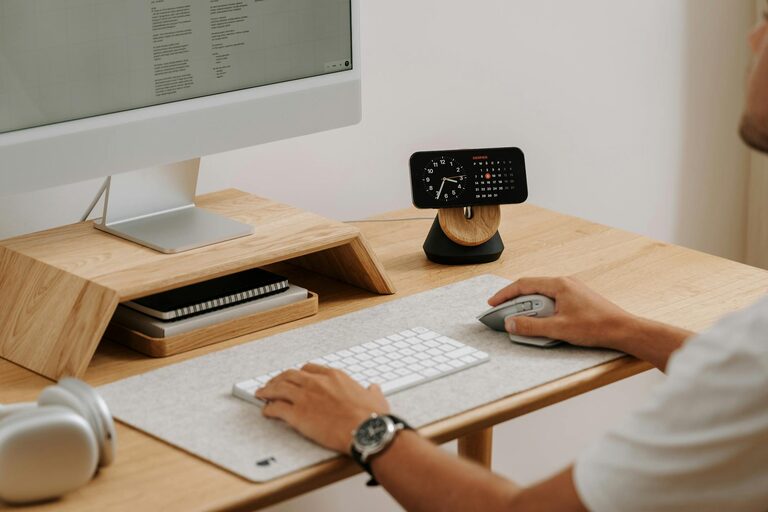
Creating a productive home office environment is essential for anyone working remotely or managing tasks from home. A well-designed workspace can increase focus, reduce distractions, and make your workdays more enjoyable. Whether you have a dedicated room or a small corner, these tips will help you set up a home office that supports your productivity and wellbeing.
Choose the Right Location
The first step in creating a productive home office is selecting the ideal spot. Look for a quiet area with minimal foot traffic and noise. A space away from the main living areas can help you separate work from relaxation. If possible, choose a location near a window to take advantage of natural light, which improves mood and alertness.
Invest in Comfortable Furniture
Comfort is key to staying productive. Invest in an ergonomic chair that supports your back and encourages good posture. Your desk should be at a height where your arms rest comfortably at a 90-degree angle while typing. Adjustable desks are a great option for switching between sitting and standing. Remember, uncomfortable furniture can lead to distractions and even health issues over time.
Organize Your Workspace
A clutter-free workspace helps keep your mind clear. Use shelves, drawers, or storage bins to organize office supplies and paperwork. Keep your desk surface tidy by only having essential items within reach. Consider cable management solutions to reduce tangled wires and keep the area neat.
Optimize Lighting
Good lighting reduces eye strain and keeps you alert. Natural light is best, so position your desk near a window if possible. Supplement with adjustable desk lamps or overhead lights to avoid shadows and glare. Choose bulbs with a color temperature similar to daylight (around 5000K) for a crisp, clear work environment.
Minimize Distractions
Identify common distractions in your home and take steps to minimize them. Use noise-cancelling headphones or play background music if it helps you concentrate. Set boundaries with family or roommates during work hours, and consider using apps that block distracting websites or notifications.
Personalize Your Space
Adding personal touches can make your home office feel welcoming and inspiring. Display a few favorite photos, plants, or artwork to create a pleasant atmosphere. However, avoid over-decorating—too many items can become distractions.
Use Technology Wisely
Ensure your computer, internet connection, and other tech tools are reliable. Keep your software updated and invest in accessories that enhance comfort and efficiency, such as an external keyboard, mouse, or monitor. Backup important files regularly to avoid data loss.
Maintain a Routine
Productivity thrives on routine. Set regular working hours, take scheduled breaks, and create a start-of-day ritual to get into work mode. Use planners or digital calendars to manage tasks and deadlines. Staying disciplined helps maintain a clear boundary between work and personal life.
Incorporate Breaks and Movement
Sitting for long periods can affect both health and productivity. Schedule short breaks to stretch, walk, or do light exercises. Consider using reminders or apps that encourage movement throughout the day. Physical activity refreshes your mind and body, improving focus when you return to work.
Keep Air Quality and Temperature Comfortable
A comfortable environment includes good air quality and temperature control. Open windows regularly to let fresh air in, or use an air purifier if needed. Maintain a comfortable room temperature to avoid feeling too hot or cold, which can be distracting.
—
By carefully considering these elements, you can create a home office environment that supports your best work. Taking the time to set up a space tailored to your needs will make working from home more satisfying and productive. Remember, a great workspace is an investment in your success and wellbeing.