
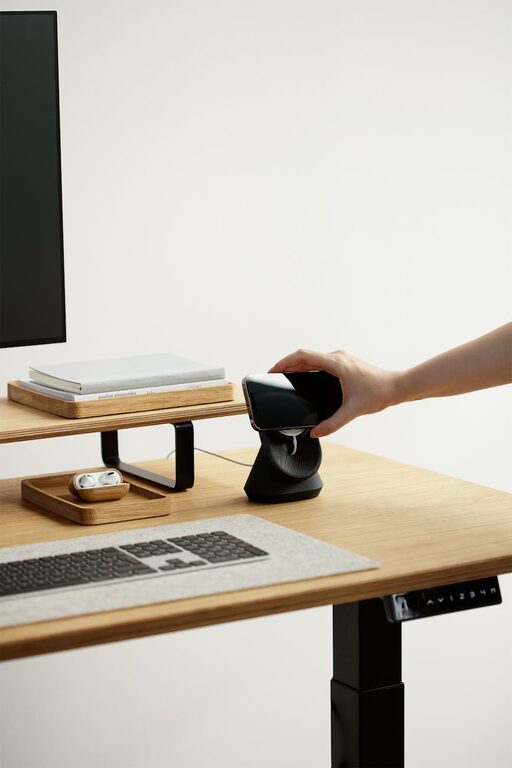
Creating a comfortable and productive home workspace is essential for anyone working remotely or studying from home. A well-designed area can help you stay focused, reduce stress, and maintain a healthy work-life balance. Whether you have a dedicated room or just a small corner, the right setup can make a significant difference. Here are some helpful tips to design your ideal home workspace.
Choose the Right Location
Find a Quiet Spot
Select a space in your home where you can work without frequent interruptions. A quiet corner or room away from high-traffic areas will help you concentrate better.
Utilize Natural Light
If possible, position your desk near a window. Natural light improves mood and energy levels, which can enhance your productivity throughout the day.
Consider Privacy
If you share your living space, try to find a place where you can close a door or use screens and dividers to reduce distractions.
Invest in Comfortable Furniture
Select an Ergonomic Chair
A good chair supports your back and encourages proper posture. This helps prevent discomfort, especially during long work hours.
Choose the Right Desk
The desk should suit your work needs and space constraints. Ensure it provides enough surface area for your computer, notes, and other materials.
Adjustable Options
Consider adjustable desks or chairs to customize your workspace for maximum comfort and better health.
Organize Your Workspace Efficiently
Keep Essentials Within Reach
Arrange your most-used items nearby to avoid unnecessary movements and distractions.
Use Storage Solutions
Shelves, drawers, and organizers help keep your workspace tidy and reduce clutter, which can be overwhelming.
Cable Management
Use clips or sleeves to organize cords and cables, making your space safer and cleaner.
Optimize Lighting
Use Task Lighting
A desk lamp can provide focused light for reading or detailed work, reducing eyestrain.
Avoid Glare
Position your computer screen to avoid reflections from windows or lights. Use blinds or curtains if needed.
Adjust Ambient Lighting
Soft, warm lighting creates a comfortable atmosphere and reduces eye fatigue during long periods of work.
Minimize Noise and Distractions
Use Noise-Cancelling Headphones
These can help block out background noise, allowing you to focus better.
Play Background Music or White Noise
Light instrumental music or white noise can improve concentration for some people.
Set Boundaries
Communicate your work schedule with family members or housemates to minimize interruptions.
Personalize Your Space
Add Greenery
Plants can make your workspace inviting and improve air quality.
Decorate with Inspiring Items
Photos, artwork, or motivational quotes can boost your mood and creativity.
Choose Colors Wisely
Soft, neutral colors are calming, while brighter accents can stimulate energy.
Maintain Healthy Work Habits
Take Regular Breaks
Stand up, stretch, or walk around every hour to reduce physical strain and refresh your mind.
Stay Hydrated and Snack Smartly
Keep water and healthy snacks nearby to maintain energy levels.
Set Clear Work Hours
Define when work begins and ends to maintain a healthy balance between your professional and personal life.
Use Technology Efficiently
Reliable Internet Connection
Ensure your internet speed supports your work activities smoothly.
Organize Digital Files
Keep your computer desktop and files organized for quick access.
Use Productivity Tools
Apps for task management, time tracking, or note-taking can help you stay organized and focused.
Final Thoughts
Creating a comfortable and productive home workspace involves thoughtful planning and adjusting your environment to your needs. By combining good ergonomics, efficient organization, and a pleasant atmosphere, you can enjoy a space that supports your work and well-being. Start small, experiment with different setups, and find what works best for you. With these tips, your home workspace can become a place where creativity and productivity thrive.