
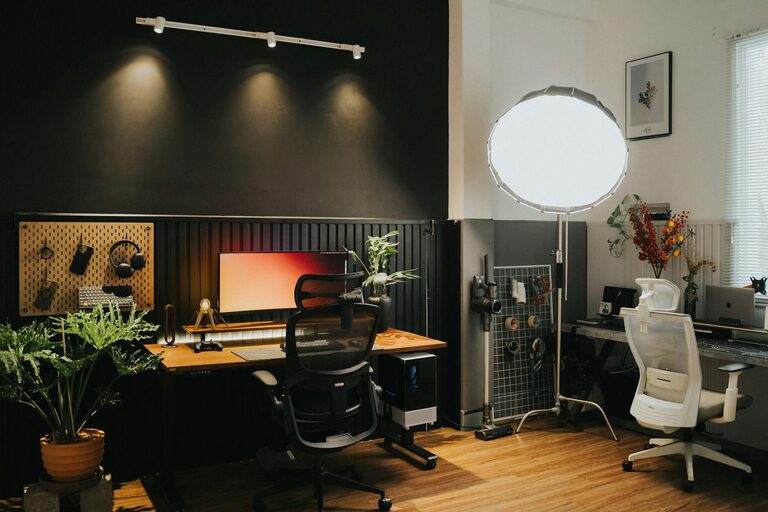
Creating a home office that is both inviting and functional can transform the way you work at home. Whether you’re freelancing, working remotely, or managing personal projects, a well-designed workspace boosts focus, creativity, and overall well-being. This guide offers practical tips to help you set up a comfortable, organized, and efficient home office that suits your needs.
1. Choose the Right Location
Find a Quiet Spot
Start by selecting a space in your home where distractions are minimal. Ideally, this should be away from high-traffic areas like the kitchen or living room. If possible, pick a room with a door you can close to signal “work time” to others.
Consider Natural Light
Natural light not only brightens your space but also enhances mood and energy levels. Position your desk near a window if you can. However, avoid glare on your computer screen by using sheer curtains or blinds.
2. Invest in Comfortable and Functional Furniture
Ergonomic Chair and Desk
Comfort is key for long hours of work. An ergonomic chair that supports your back and encourages good posture can prevent discomfort and fatigue. Choose a desk at the right height to keep your keyboard and monitors positioned comfortably.
Adequate Desk Space
Make sure your desk has enough surface area to hold your computer, paperwork, and other essentials without cluttering. If space is limited, consider a corner desk or a wall-mounted workspace.
3. Organize Your Workspace
Use Storage Solutions
Keep your desk tidy with drawers, shelves, or filing cabinets. Use organizers like trays, bins, or desk caddies to keep office supplies in order and within reach.
Declutter Regularly
A clean and organized space helps clear your mind. Spend a few minutes at the end of each day tidying up to maintain a productive environment.
4. Optimize Lighting
Combine Natural and Artificial Light
While natural light is preferred, you’ll also need good artificial lighting for early mornings or late evenings. A desk lamp with adjustable brightness can reduce eye strain.
Avoid Harsh Overhead Lights
Soft, diffused lighting reduces glare and creates a cozy atmosphere. Consider lamps with warm white bulbs instead of cold, harsh lighting.
5. Personalize Your Space
Add Inspiring Decor
Personal touches such as artwork, photos, or plants make your office feel welcoming and motivate you to spend time there. Plants can also improve air quality and add a touch of nature.
Choose Calming Colors
Opt for soothing colors like soft blues, greens, or neutral tones that promote concentration and relaxation. Avoid overly bright or distracting colors.
6. Technology and Accessories
Reliable Internet and Equipment
Ensure your internet connection is stable to avoid interruptions. Invest in quality equipment such as a headset, printer, or external monitor if needed.
Cable Management
Use cable organizers or clips to keep wires neat and prevent tangling. This not only improves aesthetics but also safety.
7. Create Zones for Different Tasks
Separate Work and Break Areas
If space allows, designate a small area for short breaks or brainstorming away from your desk. This helps promote mental clarity and prevents burnout.
Define Work Hours
Set clear boundaries for your workday to maintain a healthy work-life balance. Use a clock or timer to signal when it’s time to pause or stop working.
8. Consider Acoustics
Minimize Noise Distractions
If outside noise is an issue, consider soundproofing techniques like rugs, curtains, or acoustic panels. Headphones or white noise machines can also help enhance focus.
Maintain Ventilation
Fresh air improves alertness. If your workspace lacks airflow, use a fan or open windows when possible.
—
Setting up an inviting and functional home office doesn’t require a complete makeover. Small, thoughtful adjustments can make a significant difference in comfort and productivity. By focusing on ergonomics, lighting, organization, and personal touches, you can create a space that supports your work and well-being every day.