
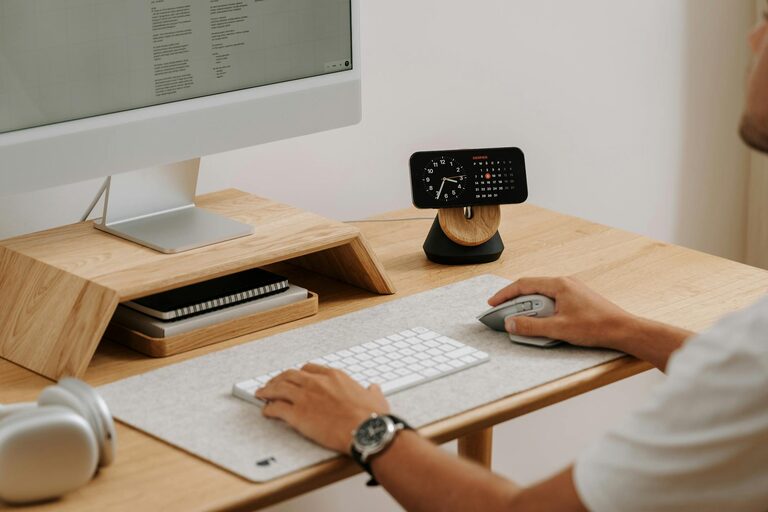
Working from home has become more common than ever, making a well-designed home office essential for both productivity and comfort. Creating a space that feels inviting yet focused can help you stay motivated and reduce stress. Here are several tips to design a home office that balances relaxation with efficiency.
Choose the Right Location
Selecting the right spot in your home is the first step. Ideally, pick a quiet area with minimal distractions. If possible, choose a room with a door so you can separate work from home life. If space is limited, a dedicated corner in a living room or bedroom can work when properly organized.
Consider Natural Light
Natural light can boost your mood and reduce eye strain. Place your desk near a window if possible, but avoid direct glare on your screen. If natural light is scarce, invest in soft lighting that mimics daylight to maintain alertness.
Invest in Comfortable Furniture
Comfort is key for long workdays. Choose an ergonomic chair that supports your back and encourages good posture. Your desk should be at a comfortable height to reduce strain on your neck and wrists.
Ergonomic Setup Tips
– Position your monitor at eye level.
– Keep elbows bent at a 90-degree angle.
– Use a footrest if your feet don’t comfortably touch the floor.
Organize and Declutter
A cluttered space can distract and cause stress. Keep your desk tidy by using organizers, drawers, or shelves. Only keep daily essentials within arm’s reach and store other items elsewhere.
Use Storage Solutions
– Drawer organizers for stationery.
– File holders for papers.
– Cable management tools for cords.
Regularly decluttering your workspace also helps maintain a peaceful environment.
Personalize Without Overcrowding
Adding personal touches can make your office feel inviting. Consider framed photos, plants, or artwork. However, avoid overcrowding your space which may hinder focus.
Benefits of Plants
Plants like succulents or pothos improve air quality and add a calming natural element. They are low-maintenance and brighten up your workspace.
Set Up a Productive Routine
A dedicated space aids routine creation. Set consistent work hours and take breaks away from your desk to refresh.
Break Tips
– Use the Pomodoro technique (25 minutes work, 5 minutes break).
– Stretch or do brief exercises.
– Step outside for fresh air if possible.
Manage Noise and Distractions
Noise can interrupt concentration. Consider noise-cancelling headphones or playing soft instrumental music to block distractions.
Soundproofing Ideas
– Rugs and curtains reduce echo.
– Sealing gaps around doors/windows can minimize external noise.
Technology Essentials
Ensure your tech setup supports productivity. A reliable high-speed internet connection is a must. Keep chargers and cables accessible but organized. Dual monitors can enhance multitasking.
Backup Plan
Keep a backup of important files. Cloud storage or external drives prevent data loss and provide peace of mind.
Keep Comfort Items Nearby
Having a few comfort items can help you feel relaxed during work. A water bottle, healthy snacks, and a small heater or fan maintain comfort throughout your day.
—
Creating a relaxing and productive home office is about balance. By focusing on comfort, organization, lighting, and personalization, you can build a space that supports your work goals and well-being. Small changes can make a big difference in your remote work experience.